Real or Fake
Media Reality
 Funded by the European Union. Views and opinions expressed are however those of the author(s) only and do not necessarily reflect those of the European Union or the European Education and Culture Executive Agency (EACEA). Neither the European Union nor EACEA can be held responsible for them. |
 All contents, in particular texts, pictures and graphics, are protected by copyright. Unless expressly stated otherwise, copyright is held by media.eduskills.plus and is licensed under Creative Commons Attribution - Non-commercial - Distribution under the same conditions 4.0 International license. They may be subject to the terms of the license. |
2026 media.eduskills.plus
Learning outcomes
Competencies
|
|
|
Target group 6 years and up
|
|
Required materials
|
Description of the activity (step by step)
Preparation:
Prepare the space for working with a small group of children. Present several manipulated photographs and encourage children to observe them critically and discuss what they see. Ask guiding questions such as:
- Can a photograph lie?
- Can you tell which photograph is fake and which is real?
- Why?
- Is it easy to recognise fake photographs?
- Why might people use fake photographs?
Implementation:
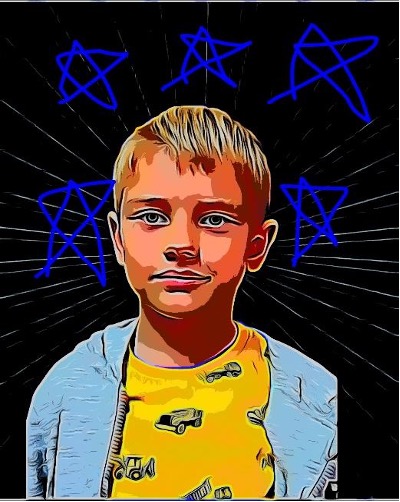
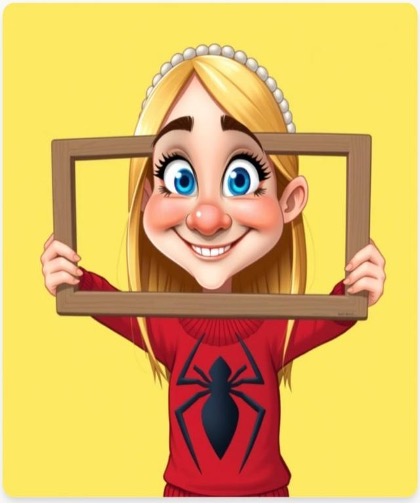
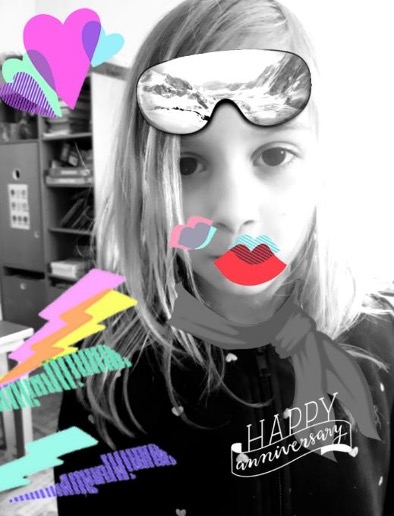
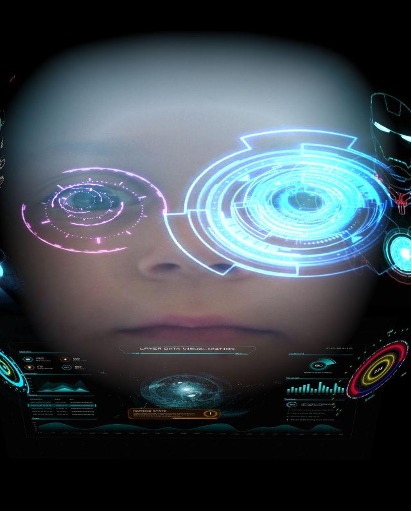
Allow the children some time to photograph each other. Divide them into two groups and present the photo-editing challenge. If children have not used editing tools before, explain what these tools offer and how to use them.
Help children transfer selected photographs to editing applications on a mobile phone or computer and demonstrate the available options. Encourage them to edit the photos freely: add filters, change contrast, brightness, and colour tone, add or crop elements, draw on the photos, etc.
When editing is complete, save the original and edited versions of the photographs in separate folders so you can review them together on the computer or print them.
Reflection:
Divide the children into groups and invite each group to present their photo versions. Ask the children to guess which version is original and which has been edited. Encourage them to explain their choices.
Discuss whether they can identify differences between the photographs. Invite the creators of the edited versions to reveal all changes and explain how they were made.
Lead a group discussion about photo manipulation by asking questions such as:
- Do you think photographs can lie?
- Is a manipulated photograph always harmful? Why or why not?
- What are manipulated photographs used for?
Variations and additional ideas
Choose a photograph together with the children for editing. It can be a photo taken by the children or one from a photo gallery. Children can edit the photograph individually or in small groups. Compare the edited versions. Print and display them to make the differences more visible.
Background information and didactical perspective
A photograph records a moment and communicates information, but the message it conveys can be influenced. By using photo-editing tools, the authenticity of an image can be altered. Through this process, children learn that visual messages can be manipulated and that this changes how the viewer experiences them.
Manipulation is not always negative (for example, fake news or disinformation); it can also have a creative or playful purpose. Since children are increasingly exposed to digital media at a young age, it is important to help them understand that media content is not always true and that what they see online may be misleading.
Experience from kindergartens
K. J.: "Photos can be changed because it's fun and funny."
L. P.: "It's also a bit mean. T. B. Z. looks robotic. She wants us to admire her and think she's a real robot. Photos can lie."
F. G. concludes: "When someone decorates photos, they do it to show off and look good, even if they're not really like that."
L. P.: "I like putting stickers on photos and drawing on them because it's fun. I put a lion on myself because my dad calls me that, and that feels nice."
B. T.: "I would decorate myself in photos because I want to show off and want others to see me like that."
Photos of the activity